> ## Documentation Index
> Fetch the complete documentation index at: https://hedera-0c6e0218-chore-gha-061634-stepsecurity-remediation.mintlify.site/llms.txt
> Use this file to discover all available pages before exploring further.
# Run a Local Node in Codespaces
Codespaces is a cloud development environment (CDE) that's hosted in the cloud. You can customize your project for GitHub Codespaces by committing configuration files to your repository (often known as Configuration-as-Code), which creates a repeatable codespaces configuration for all users of your project. [GitHub Codespaces overview](https://docs.github.com/en/codespaces/overview)
***
## Prerequisites
* Review first the [Quickstart for GitHub Codespaces](https://docs.github.com/en/codespaces/getting-started/quickstart) guide.
* Install VS Code Desktop application.
* In [Editor preference](https://github.com/settings/codespaces) change your client to `Visual Studio Code` (Should not be `Visual Studio Code for the Web`)
***
## Configure Dev Container
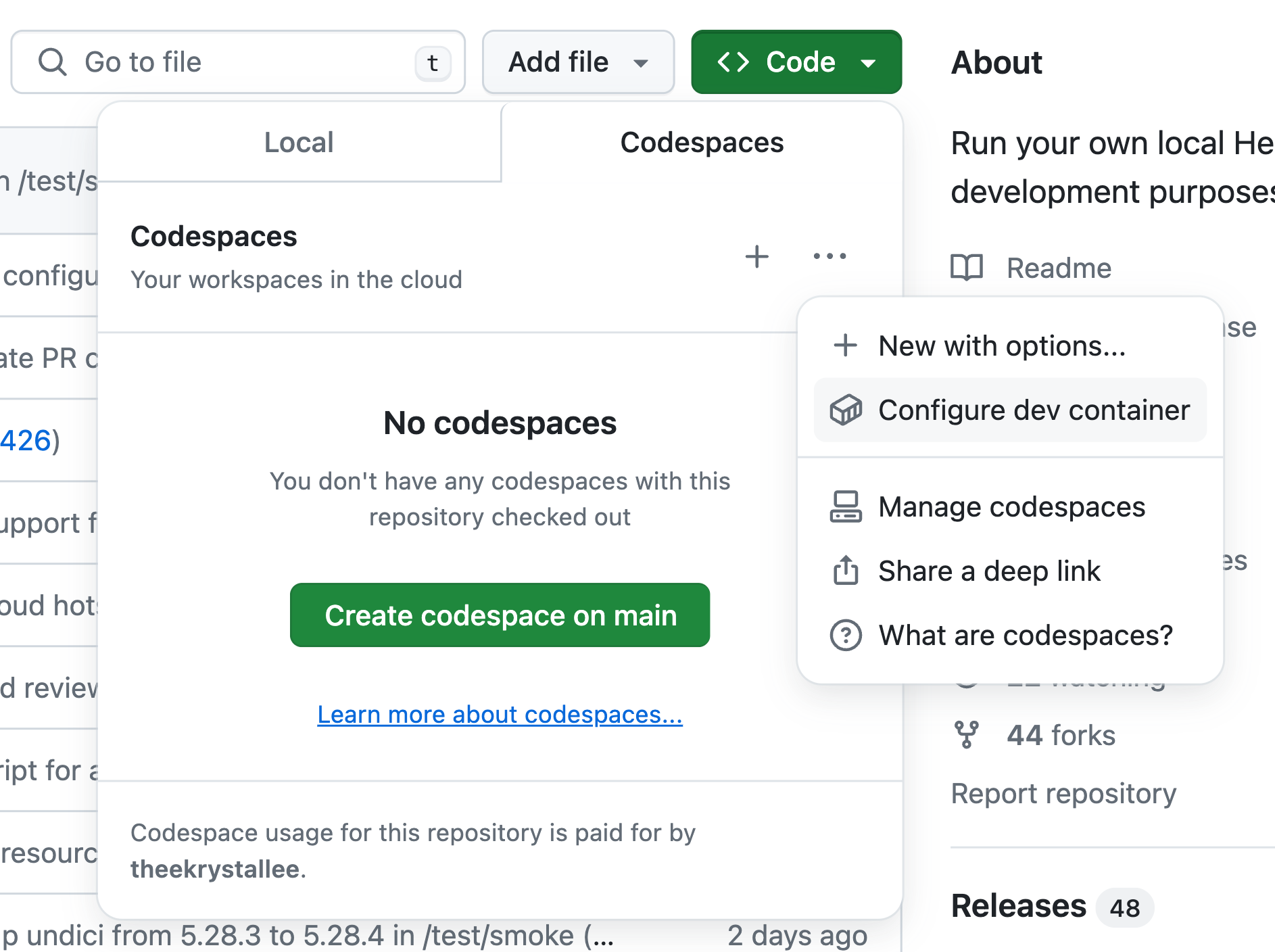
To configure t he dev container, open the [Hedela Local Node repo](https://github.com/hashgraph/hedera-local-node) and click on the `Code`->`Codespaces`->`...`-> `Configure dev container`.
 This will open the dev container configuration file where you can customize your configuration like the CPUs and memory.
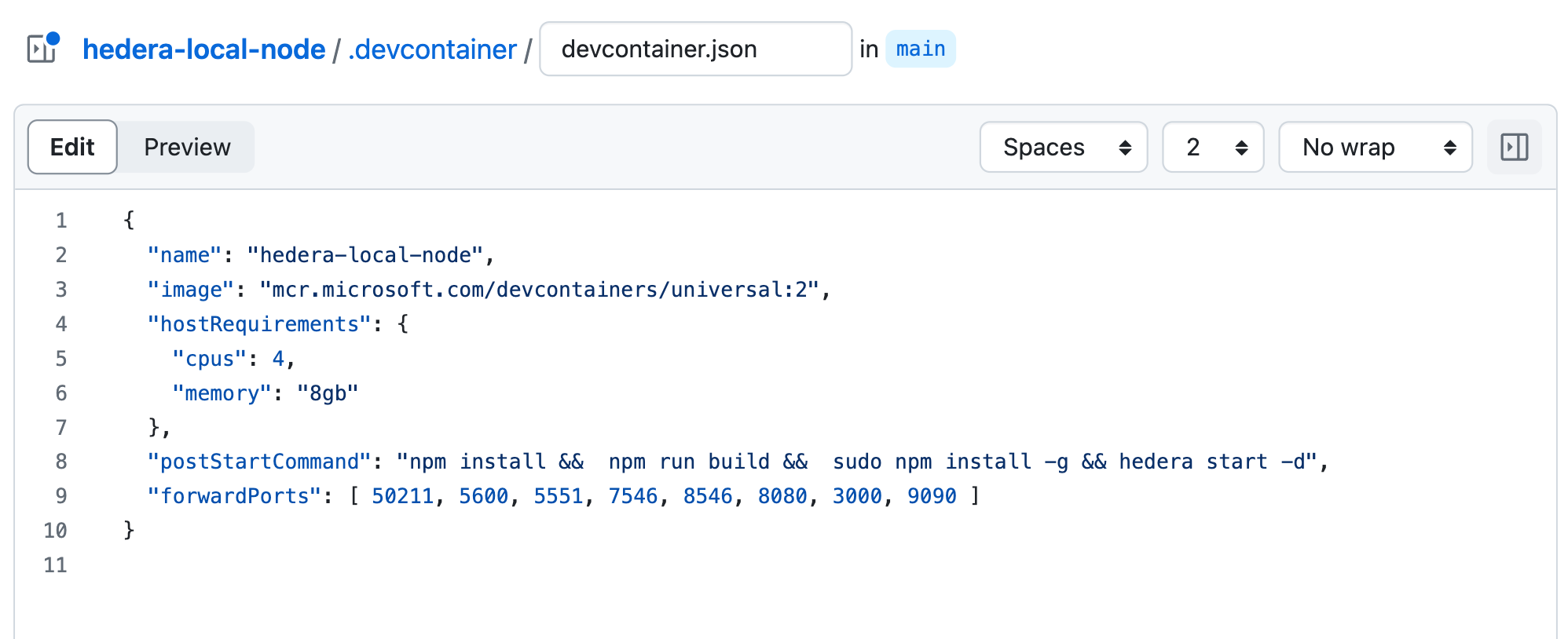 **Note**: If you make changes to your config file, commit and push your changes before running local node, to ensure the project starts with the right configuration.
## Creating and Running Your Codespace
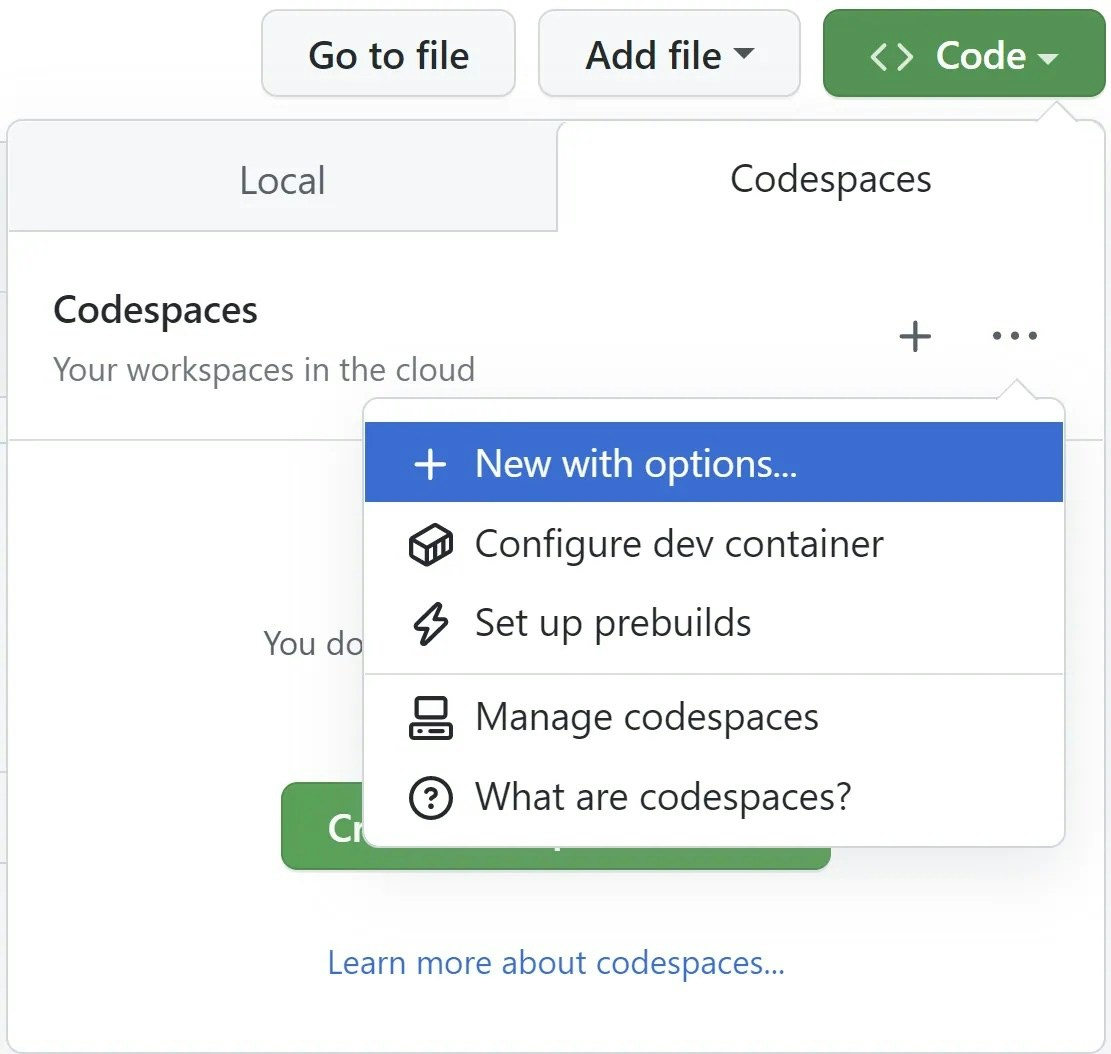
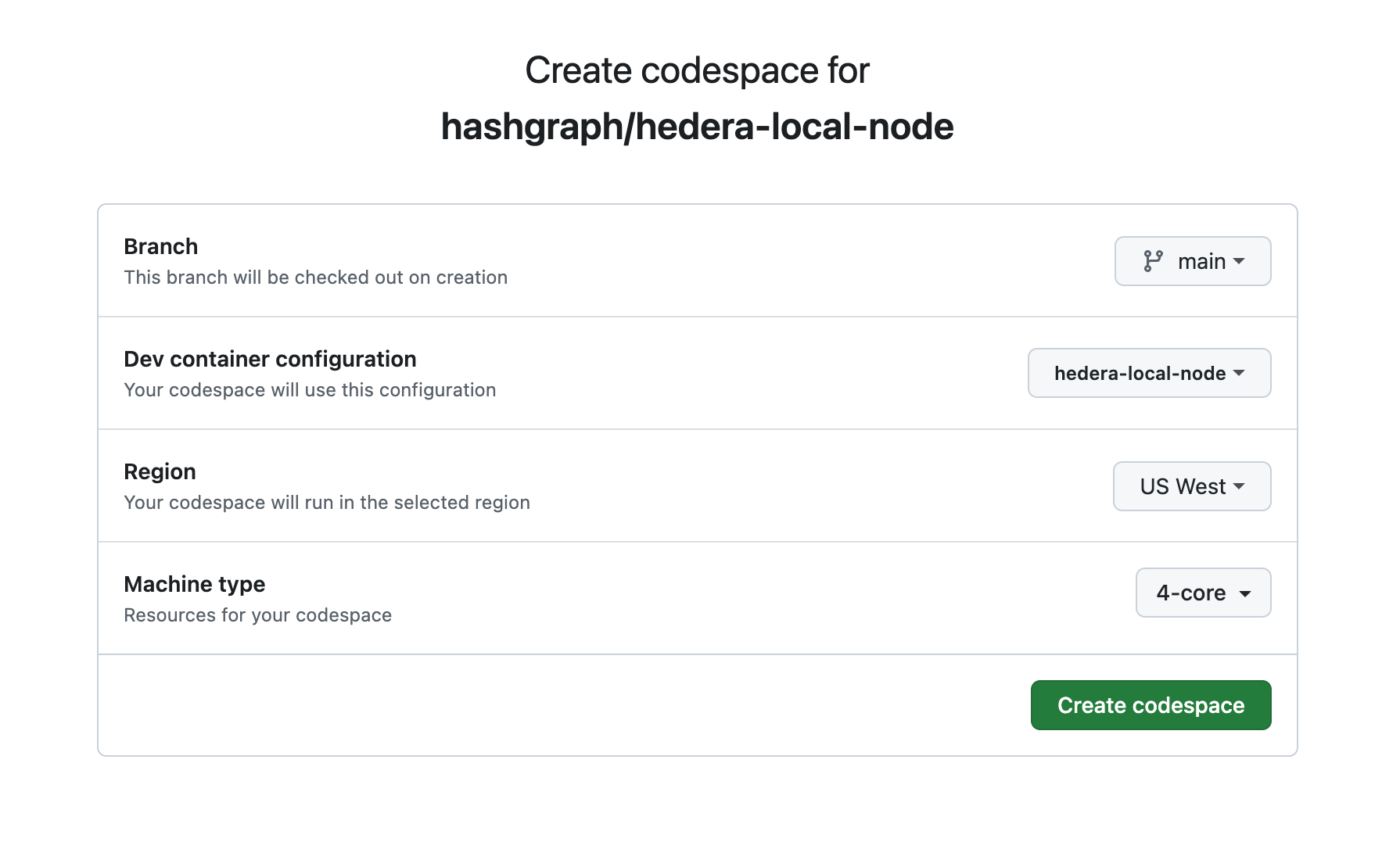
Open the [Hedela Local Node repo](https://github.com/hashgraph/hedera-local-node) and click on the `Code`->`Codespaces`->`...`-> `New with options...` button and choose the appropriate settings:
**Note**: If you make changes to your config file, commit and push your changes before running local node, to ensure the project starts with the right configuration.
## Creating and Running Your Codespace
Open the [Hedela Local Node repo](https://github.com/hashgraph/hedera-local-node) and click on the `Code`->`Codespaces`->`...`-> `New with options...` button and choose the appropriate settings:
 Once your codespace is created, the template repository will be automatically cloned into it. Your codespace is all set up and have the local node running!
 ***
## Conclusion and Additional Resources
Congrats on successfully setting up your Codespace and running a Hedera Local Node!
**➡** [**Hedera Local Node Repository**](https://github.com/hashgraph/hedera-local-node#readme)
**➡** [**Quickstart for GitHub Codespaces**](https://docs.github.com/en/codespaces/getting-started/quickstart)
**➡** [**Adding Dev Container Config to Repo**](https://docs.github.com/en/codespaces/setting-up-your-project-for-codespaces/adding-a-dev-container-configuration)
***
## Conclusion and Additional Resources
Congrats on successfully setting up your Codespace and running a Hedera Local Node!
**➡** [**Hedera Local Node Repository**](https://github.com/hashgraph/hedera-local-node#readme)
**➡** [**Quickstart for GitHub Codespaces**](https://docs.github.com/en/codespaces/getting-started/quickstart)
**➡** [**Adding Dev Container Config to Repo**](https://docs.github.com/en/codespaces/setting-up-your-project-for-codespaces/adding-a-dev-container-configuration)